Support · Last updated 21 October 2026
Help and support
The most common questions. If yours is missing, write to us.
hello@getsatz.ch. Tip: in SATZ under More > Feedback you can include the app version and iOS version, which helps with bugs.
01Data and iPhone
How do I back up my data?
Everything lives only on your iPhone. Three ways:
- iOS device backup: if iCloud Backup is on (Settings > your name > iCloud > iCloud Backup) or you back up your iPhone to a computer, SATZ data is included.
- Backup to a file: in SATZ under More > Settings > Data > Save backup. The file contains everything: workouts, templates, body, food, shopping list, card, coach diary, steps, challenges, shared routines and settings. Progress photos are only included if you turn on the switch for them. «Load backup» reads it back in.
- CSV export: in the same place, «Export all sets». The file contains all workouts with their sets and opens in Numbers or Excel.
I have a new iPhone. How do I bring my data?
Set up the new iPhone with Quick Start directly from the old one, or restore it from a backup of the old iPhone (iCloud Backup or computer). Your SATZ data comes along.
If you set up the new iPhone as a new device, first save a backup file on the old iPhone under More > Settings > Data, then load it on the new one with «Load backup».
Switching from another app? Does my history come along?
Yes. Export your workouts from your current app as a CSV file and open More > Settings > Data > Load backup in SATZ. SATZ shows you first how many sessions and sets will be imported. Exercises SATZ does not know are added as custom exercises, weights in pounds are converted to kilos. What is already in SATZ stays.
How do I delete all data?
In SATZ under More > About SATZ > Delete all data. You confirm twice, then workouts, plans, body data, food, shopping list, card, coach diary, steps, challenges with photos, shared routines and settings on this iPhone are deleted. This cannot be undone. Save a backup first if you want to keep anything.
Deleting the app removes the data as well.
02Training
Why doesn't the app make any sound?
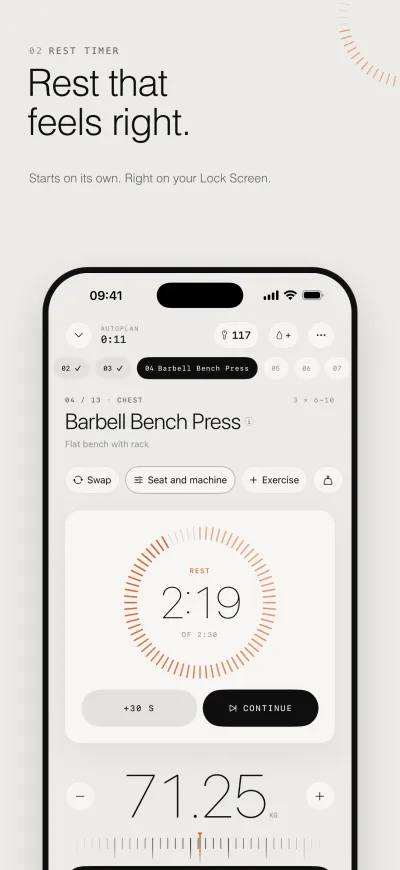
On purpose. Inside the app SATZ only vibrates: three firm pulses when your rest is over, short pulses at changes when training in sync. No beep in the gym.
When the iPhone is locked, the end of your rest arrives as a notification. Whether that one rings is up to your iPhone: silent switch, volume and Focus. You feel the vibration in your pocket too.
The rest timer does not alert me. What can I do?
SATZ asks for permission to send notifications during your first rest. If you declined, allow them in the iOS Settings under Apps > SATZ > Notifications. Also check whether a Focus such as Do Not Disturb is on.
Your iPhone creates these alerts itself, no connection needed.
How does my locker number get onto the Lock Screen?
Enter the number in the locker field when you start your workout. It then shows with the rest timer on the Lock Screen and in the Dynamic Island. SATZ clears it after the workout.
If nothing shows, check in the iOS Settings under Apps > SATZ that Live Activities are on, and under Face ID & Passcode that Live Activities are allowed when locked.
Where do the weight suggestions come from, and where do I see what the coach changes?
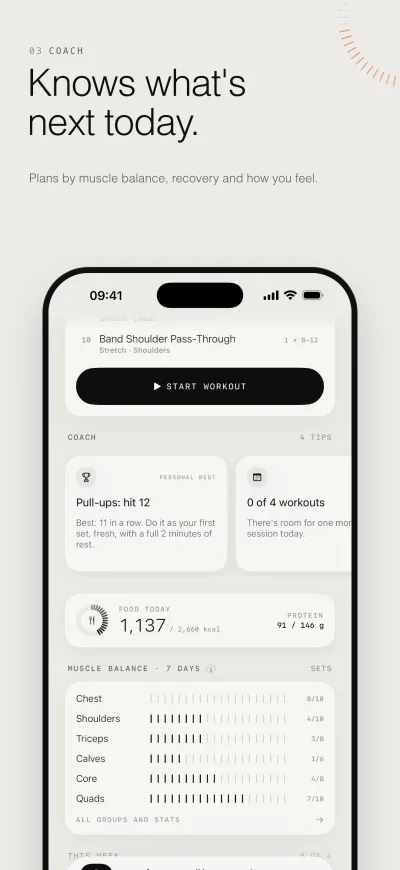
From your last session: if all working sets reached the top of the target range, SATZ suggests the next weight. If the first set fell well short, one step lighter. Otherwise hold the weight and aim for one more rep. You set the step size for each exercise.
If the coach changes something in your plan, for example more sets for a muscle group or a lighter week, it is listed under «Your coach» with reason and time window, reachable from the coach line on Today or «How the coach thinks» under Workout. All of this is calculated on your iPhone, nothing goes online.
Prefer no suggestions? Under More > Settings, pick «Just log» at the very top. Then you plan yourself, SATZ suggests nothing, asks nothing and only fills in your weight from last time.
Why does SATZ ask after a set whether something hurts?
Only if you have entered an ache under Body, say knee, and the exercise loads that area. After the last set you tap «Good», «Slight pull» or «Hurts». With «Hurts», the coach picks a gentler exercise for six weeks. Your answer stays on your iPhone.
A sharp pain, pain in the joint or with swelling is not muscle soreness: pause and have it checked by a professional.
I train in the park or without equipment. Does that work?
Yes. When you start a workout, the capsule «Today: Gym» sits at the top. Tap it and choose Park, Home or No equipment. In the park the coach only plans with bar, parallel bars and floor, and today's plan recalculates right away. Under Workout you find four ready-made plans: Park Beginner, Park Advanced, Park Skills and «At home, no equipment».
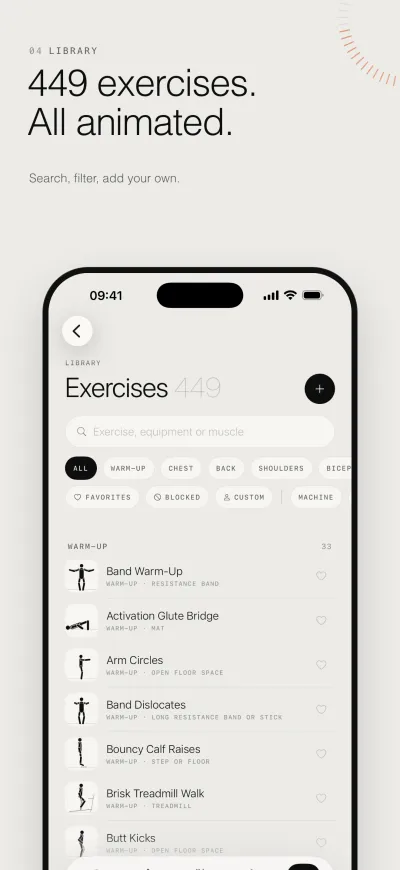
Many bodyweight exercises have a ladder, from your first pull-up to the muscle-up. Once you hit the target cleanly, SATZ suggests the next step. In the library and when swapping, filter with «In the park».
How do I log added weight or a band?
Belt or vest: for bodyweight exercises (pull-up, dips, plank) tap «+ Weight» below the set and choose belt or vest. The weight counts towards volume and personal bests.
Band: for band-assisted exercises you pick a level instead of a weight: Easy, Medium, Firm or Extra firm, from little to a lot of help. Less help is progress. The same goes for the assisted machine: less counterweight counts as an increase.
Where do the steps on Today come from?
From your iPhone's step counter. Tap the steps row on Today and iOS asks once for the Motion & Fitness permission. You then see today, the hours and the last seven days, plus your goal (default 8,000, change it under More > Settings > Step goal). Everyday steps feed into your calorie needs, and brisk walking of at least ten minutes counts towards your cardio goal. Steps during a workout are not counted twice.
Your steps stay on your iPhone, are included in the backup and are removed with «Delete all data». You can turn them off in the iOS Settings under Privacy & Security > Motion & Fitness; Today then shows no steps row.
03SATZ Duo and SATZ Group
How do I train as a duo or a group?
Under Workout, tap «Duo or Group» and choose «Duo» (two of you) or «Group» (three to six people). One person shows their code, the others tap «Scan code». Or connect nearby: anyone with «Duo or Group» open sees the others at the top and joins with one tap. In a group, the person who started it accepts new people.
Then the coach builds one shared plan and everyone trains with their own weights. As a duo you take turns, in a group the person who started it sets the pace.
SATZ can't find my buddy. What can I do?
Everyone needs «Duo or Group» open and to be close to each other. In the iOS Settings under Apps > SATZ, check that «Local Network» is allowed, and that Wi-Fi and Bluetooth are on. You don't need to be on a Wi-Fi network.
If nearby doesn't work, scan the code. If iOS asks for the camera, allow it, or turn it on later under Apps > SATZ > Camera.
Do Duo and Group work outdoors in the park?
Yes. The iPhones connect directly, without a Wi-Fi network and without the internet, so also on the grass. The coach builds the shared plan from the equipment in your profiles; in the park that is bar, parallel bars and floor. Everyone trains their own step of the exercise.
Cardio, intervals or yoga together: how does it work, and what is kept?
At the end of a Duo or Group workout, SATZ asks «10 more min of cardio together?». With «Start together» the same clock runs for everyone. If someone nearby invites you to an interval session or a routine such as yoga, pilates or mobility, you see «Join» at the top, or you scan the code.
Afterwards the session is in your history: for a routine every pose with drawing and time, for cardio the sport, rounds and duration. Only name, plan and timing travel between the iPhones, no body data.
Do SATZ Duo and Group need the internet? What do the others see?
No. The iPhones connect directly, nothing goes to the internet and nothing reaches us. The others see your first name and, during the workout, the exercise, weight and reps of your sets. For the shared plan, one iPhone receives your open muscle groups, aches as short codes, equipment, time and experience, never body data. In a group, that is only the iPhone of the person who started it; everyone else only sees names and status. Details in the privacy policy, section 5.
04Food and body
A barcode is not found.
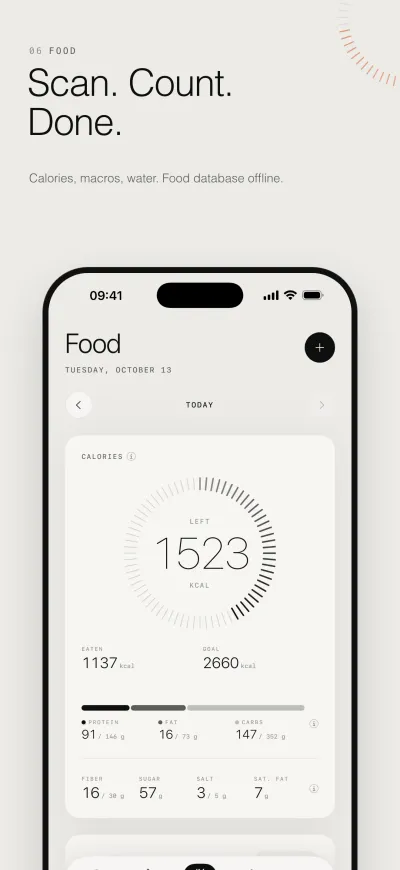
SATZ looks up barcodes in the open Open Food Facts database. Not every product is in it. In that case you can add the food yourself in SATZ; it stays on your iPhone.
- Barcode lookups need an internet connection. The built-in food composition databases for basic foods also work offline.
- If the camera cannot read the code, type the number in by hand.
- If you see «Too many requests», wait a minute. Open Food Facts limits the number of requests.
- You can add missing products to Open Food Facts yourself, so everyone finds them.
Where do the recipes come from?
SATZ comes with 349 recipes, from breakfast and meal prep to a shake after training, with nutrition per portion. They are stored in the app and need no connection. On the food page SATZ suggests recipes that fit what you still need today. You log a recipe with one tap, save it as your own dish or put the ingredients on your shopping list.
How accurate are calories, BMI and body fat?
They are estimates from established formulas: calorie needs by Mifflin-St Jeor or Katch-McArdle, body fat by the US Navy formula, BMI by the WHO classes. Your real values can differ noticeably. Sources are listed in SATZ under More > About SATZ.
SATZ is a training app for fitness and wellbeing and not a medical device. It is no substitute for advice from a doctor, physiotherapist or nutrition professional. If you have complaints, a medical condition, are pregnant or are unsure, talk to a professional before you change your training or diet.
Why does SATZ show me no calorie goal or no deficit?
These are fixed rules of the app, not statements about you:
- Under 18: SATZ shows no calorie goal and plans with more reps in reserve.
- BMI below 18.5: SATZ plans no weight loss, at least as much as you burn.
- «Pregnant» switch under Body > About you: no calorie deficit, no sets to failure. What suits you is something to discuss with your doctor or midwife.
All values stay on your iPhone.
If food or weight feel heavy right now
If food, weight or training are taking up a lot of space right now, you don't have to sort it out alone. These services offer free, confidential support. SATZ doesn't track or judge anything here; whether and when you reach out is up to you.
- United Kingdom: Beat, 0808 801 0677 (England; Scotland 0808 801 0432, Wales 0808 801 0433, Northern Ireland 0808 801 0434), beateatingdisorders.org.uk.
- United States: ANAD Helpline, 1-888-375-7767, anad.org. In a crisis, call or text 988 any time.
- Switzerland: AES, 043 488 63 73, aes.ch. Around the clock: 143, 143.ch (English line 0800 143 000, 6 pm to 11 pm). For young people: 147, 147.ch.
- Germany and Austria: see the German version of this page.
- Other countries: helplines in your language are listed at findahelpline.com.
Numbers checked on 21 October 2026.
05Card and more
Will my gym accept the code from SATZ?
That is up to your gym. SATZ shows the code of your own card again, as it appears on the photo. Some turnstiles read codes from a screen, others only the card or a wristband. If unsure, ask at the front desk.
What does SATZ cost?
Try SATZ free for 14 days without starting a subscription. After that, SATZ costs CHF 0.95 a month, CHF 9.90 a year or CHF 29.90 once. In other countries the App Store shows your local price. No ads, no account, and your data stays on your iPhone. SATZ is an app by WebRise Studio.
What happens after the 14 days?
If you don't buy, you can no longer log new workouts. Your history and all your data stay visible, and you can export them at any time. Nobody loses their data.
How do I cancel the subscription?
In your iPhone's Settings: tap your name at the top, then Subscriptions, then SATZ. The subscription keeps running until the end of the period you paid for. We can't cancel subscriptions for you, because purchases run through the App Store and we never see payment details.
Can I get SATZ without a subscription?
Yes. Not a fan of subscriptions? Buy SATZ once for CHF 29.90.
How do I request a feature or an exercise?
In SATZ under More > Feedback, or on the roadmap. If an exercise is missing, tap «Exercise missing? Tell us» in the search. Wishes and votes arrive by email and are counted by hand.
Why does SATZ ask for a rating?
After a few good workouts, SATZ asks at most once per version whether you'd like to rate the app, never in the middle of a workout. iOS shows the dialog and you can simply close it. You can turn it off completely in the iOS Settings under App Store > In-App Ratings & Reviews. Your rating goes to Apple, SATZ learns nothing about it.
Which devices are supported?
iPhone with iOS 18 or later. SATZ is available in English and German and follows your iPhone's language.
06Contact
Write to hello@getsatz.ch. For bugs it helps to include your iPhone model, iOS version, SATZ version (under More > About SATZ) and what you were doing. What happens to your email is described in the privacy policy.